Delta iOS – Download Delta Roblox executor free
 Updated October 2026 · Delta 2.723
Get your Delta Executor key in minutes
Download Delta iOS for Roblox on your iPhone or iPad without a computer. Install it in one tap, then follow the steps to get your free daily key.
- No jailbreak
- No computer needed
- iOS 13.0 and up
What Is Delta iOS?
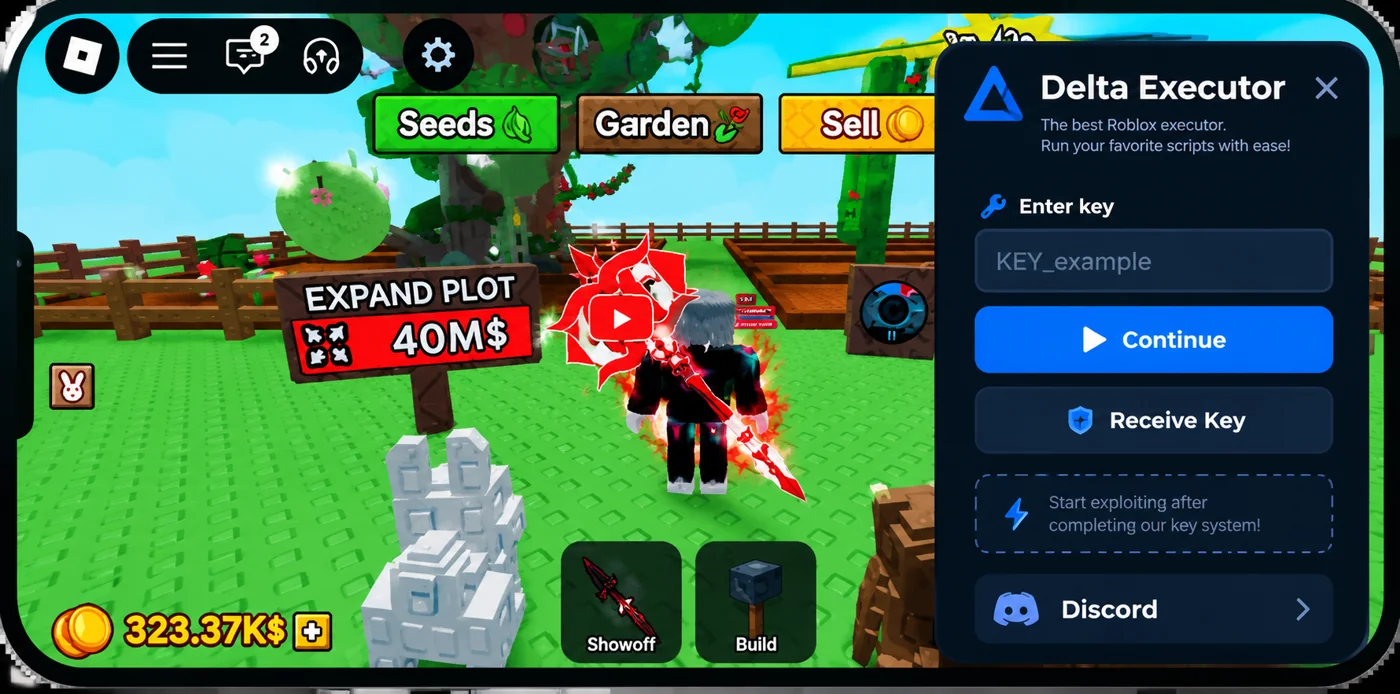
Delta iOS is a Roblox script executor for iPhone and iPad. You paste a Lua script into the app, tap Execute, and Delta runs it inside your Roblox game. You do not need to jailbreak your device.
Apple does not list Delta on the App Store, so you install it yourself. Direct Install works from your iPhone alone. The IPA method takes a few more steps and uses a signing app.
Delta asks for a free key each day. You get it by finishing a few steps on a web page, then you paste it into the app. The key helps pay for the free app and limits misuse, and the ads on the key page cover part of the cost.
Never type your Apple ID or Roblox password on a key page. The key is a code, not a password.
Delta iOS Features
See what Delta gives you on iPhone and iPad.
Script Executor
Paste a Lua script, tap Execute, and Delta runs it inside your Roblox game. Scripts can add shortcuts, change menus, or tweak your character.
No Jailbreak
You skip the jailbreak. Install Delta with Direct Install or an IPA file, and your iOS stays just as it is.
User-Friendly Interface
Delta keeps things simple. The key field, script box, and Execute button sit in plain view, so you start fast.
Script Hub
Browse ready-made scripts in the built-in hub and save your favorites. You never need to hunt through websites again. For more Roblox scripting resources, explore this related Delta scripting guide.
Discord Community
Join the Discord to swap scripts, ask questions, and catch update news. Run only the scripts you trust.
Frequent Updates
Roblox updates often break executors. Delta ships new versions to keep up, but the wait can vary.
Auto Execute
Add a script to the auto-execute list. Delta then runs it for you every time you join a game.
Auto-Farm Feature
Some scripts repeat tasks for you, like fighting enemies, finishing quests, or collecting resources. Roblox can ban accounts that use them, so be careful.
Built-In Script Editor
Write or change a script right inside Delta. You never need another editor app.
Console & Debugging
Watch the live console while a script runs. When it fails, you see the error and can search for a fix.
Good to know: Features change between versions. Script tools can get your Roblox account banned, so play it safe and use a spare account.
Before You Install Delta
Check these four things first so the install goes smoothly.
-
Your device
You need an iPhone or iPad with iOS 13.0 or later.
-
Roblox
Install the latest Roblox app from the App Store.
-
Free space
Keep 200 MB of free storage for the app and your scripts.
-
Internet
Use a stable Wi-Fi or mobile connection.
Planning to use the IPA method below? You’ll also need a free Apple ID.
How to Install Delta on iPhone or iPad
Delta iOS is not on the App Store, so you install it another way. You can choose one of two methods.
Download Delta only from a source you trust.
Delta iOS Direct Install
- Open the Delta install page in Safari. Safari handles profiles better than other browsers.
- Tap Direct Install.
- Tap Install when your iPhone asks.
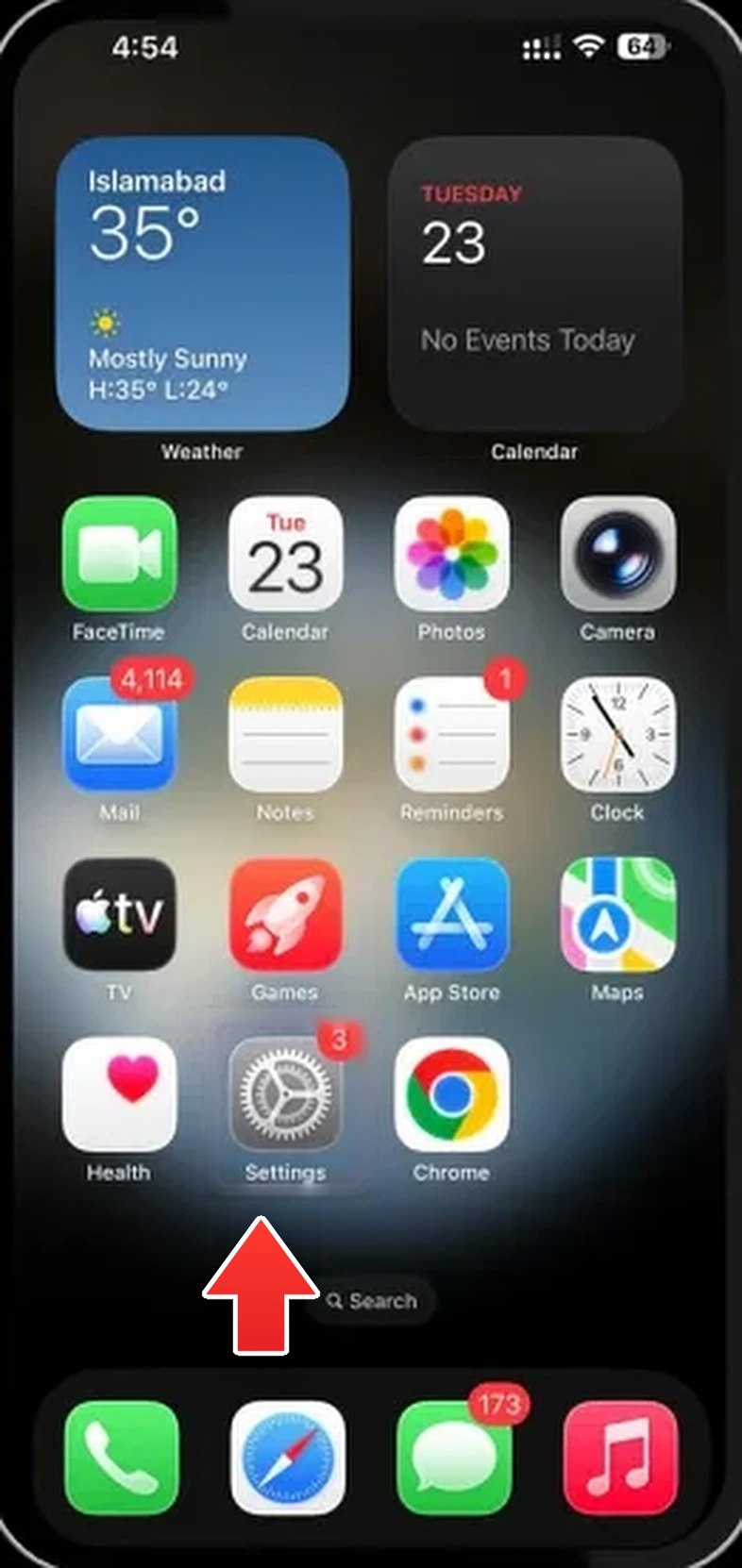
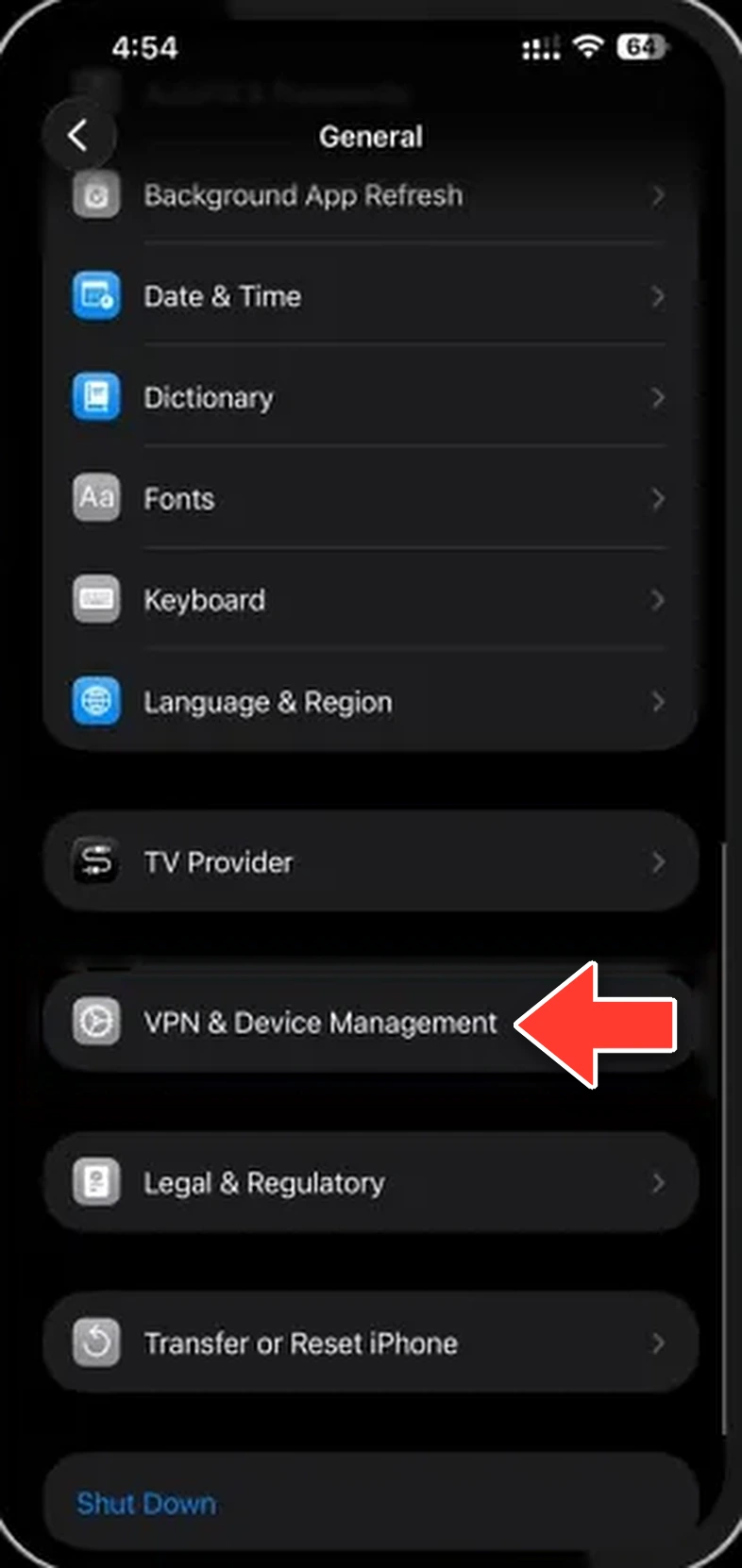
- Open Settings → General → VPN & Device Management.

Open Settings VPN & Device Management - Under Enterprise App, tap the Delta profile.
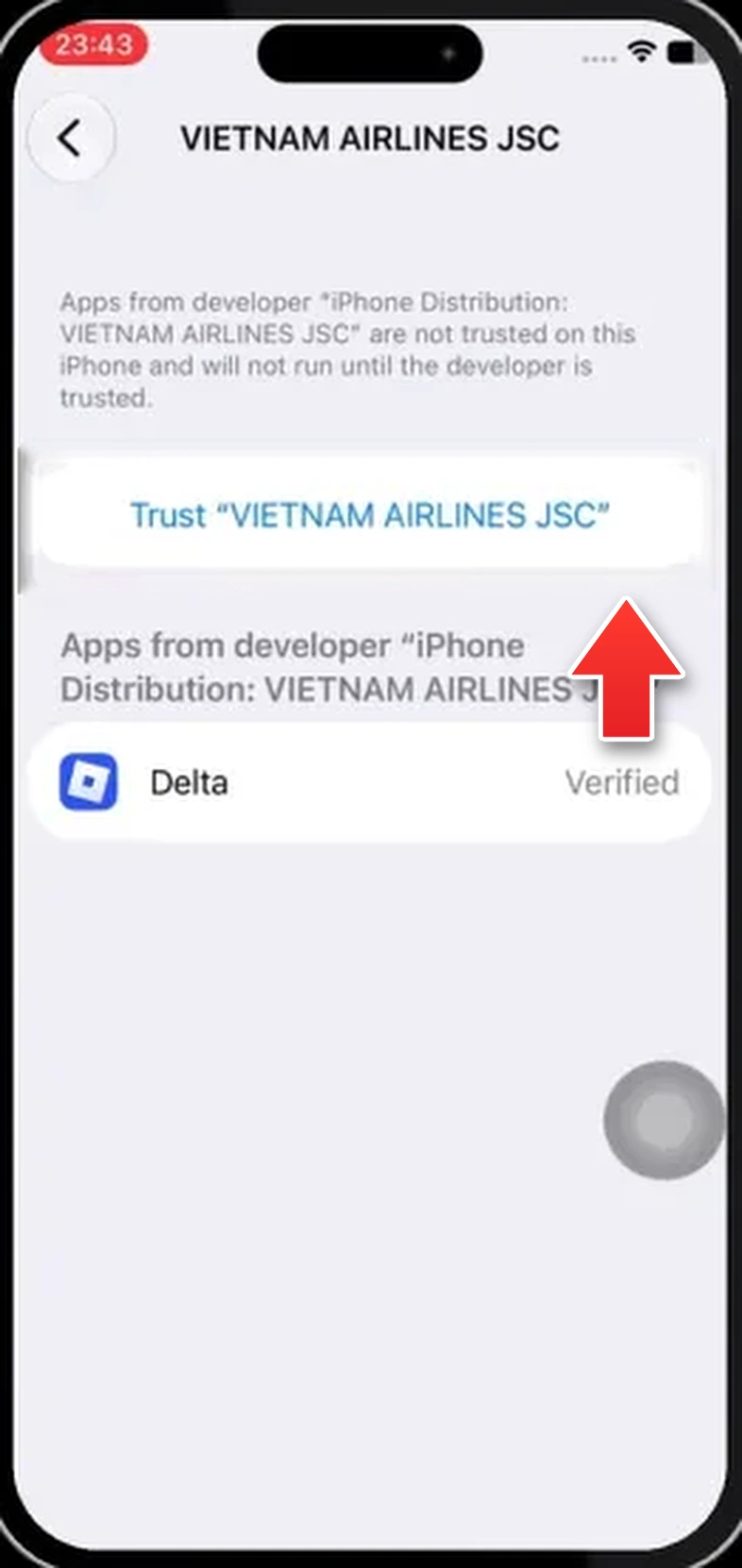
- Tap Trust. Then tap Allow & Restart if you see it.
Trust the profile Allow & Restart - Open Delta from your home screen.
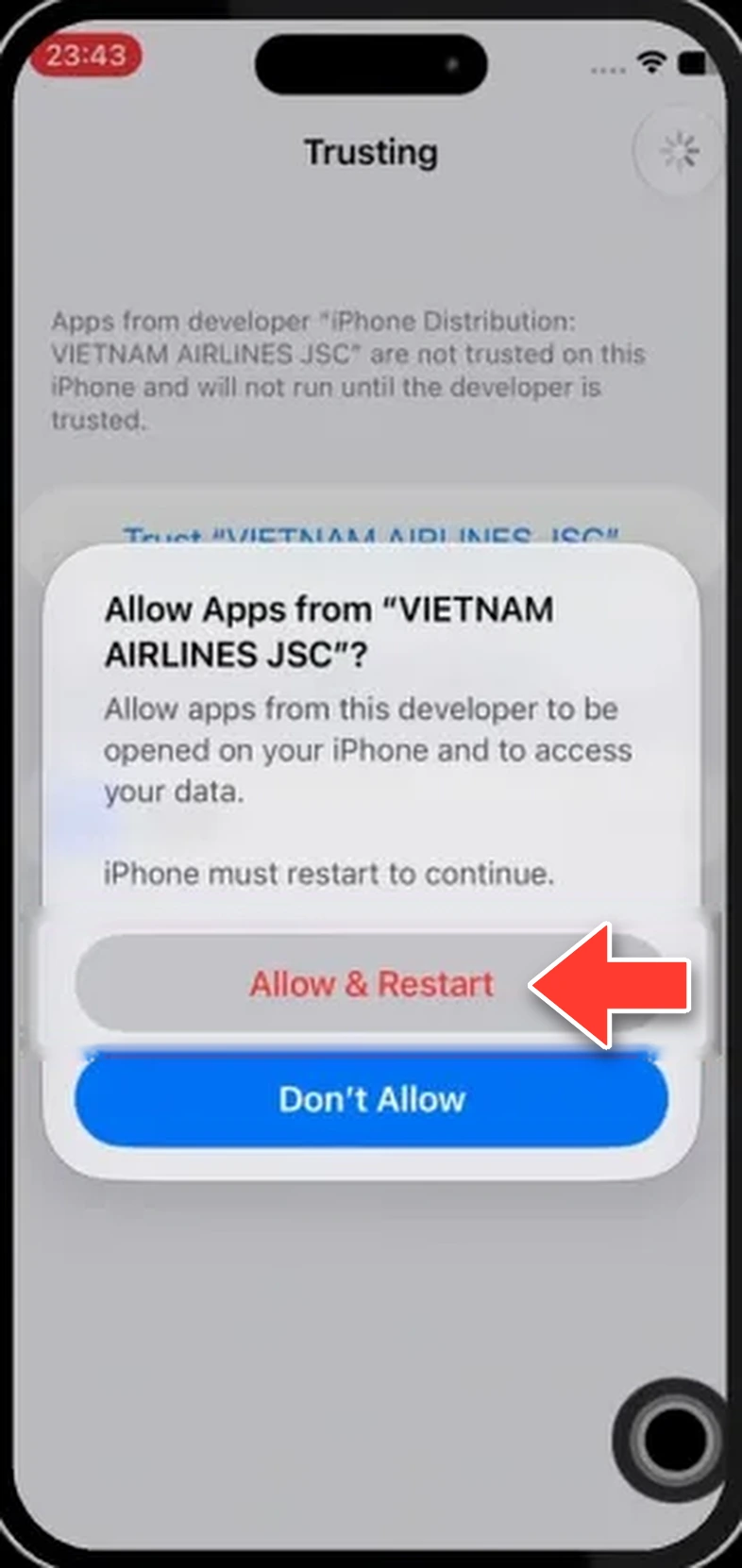
If Delta does not open, restart your iPhone and try again. Still stuck? See the install fixes.
Delta iOS IPA File
Use this method if Direct Install stops working. You download an IPA file, then you sign and install it with a signing app.
No computer needed
- ESign
- Scarlet
Computer needed
- AltStore
- Sideloadly
The signing app uses your own Apple ID. This means Apple cannot cancel it the way it cancels Direct Install. The trade-off is that a free Apple ID lets the app run for only 7 days. After that, you must sign and install it again.
How to Get a Delta iOS Key
- Open Delta. Tap the key button. Depending on your version, it says “Get Key” or “Receive Key.”
- Wait for the web page. Delta opens it for you. Do not search for the page yourself.
- Finish the steps. The page often comes from an ad-link service such as Linkvertise, so expect ads and countdowns. Follow what the page tells you.
- Copy the key. Select the whole code and tap Copy. Do not retype it.
- Paste it into Delta. Go back to the app, paste the key into the key field, and tap Submit.
Tested: I followed these steps myself with Delta 2.723, and the key process worked.
Tips for success:
- Use the same iPhone or iPad where you plan to use Delta.
- Stay in one browser tab until you finish.
- Do not refresh the page again and again.
- Always use your newest key, never an old one.
- Check that no extra space sits at the start or end of the key.
How Long Does the Delta iOS Key Last?
About one day.
When it ends, Delta shows the key screen again. Repeat the steps above to get a new key.
Keys only work for the person who got them, so sharing a key does not work.
A new key also replaces the old one.
How to Use Delta iOS After You Enter the Key
- Open Roblox and join a game.
- Switch back to Delta.
- Paste a script, or pick one from the built-in script hub.
- Tap Execute.
If Delta shows an Attach button, tap it first and wait for the success message.
Only run scripts from sources you trust. Some scripts can steal your login data or crash your game.
Delta iOS Key Not Working? Try These Fixes
“Invalid key” message
The key may be old, cut short, or have an extra space. Get a new key, copy it again, and paste it without changes.
The web page keeps starting over
Start again from inside Delta. Use one browser from start to finish. If you use an ad blocker or privacy setting, turn it off for a moment.
The key page does not open or shows a blank screen
Check your internet and make sure your browser opens other sites. Wait about 10 seconds. If the page stays blank, refresh it once, then turn off your ad blocker or VPN and try again. You can also try a different browser, or close Delta, open it again, and tap the key button.
The page gets stuck on a timer
Stay on the page until the timer ends. Do not switch tabs or lock your screen, because that can stop the timer.
The key will not paste
Tap and hold inside the key field, then tap Paste. If nothing appears, go back to the key page and copy the code again. Make sure you copy the whole code.
Delta says the key expired, or shows the key screen again
Check your date and time. Go to Settings → General → Date & Time and turn on Set Automatically. Then close Delta fully and open it again. If the key screen stays, get a new key.
The key page will not work in Safari
In your Safari settings, tap Clear History and Website Data. Then get a new key. You can also try another browser.
Delta iOS Not Opening or Crashing? Install Fixes
These problems come from the install, not the key.
Delta stops opening or crashes after a few days
How you installed Delta decides the cause:
- Direct Install: Apple can cancel the certificate this method uses. Delta then crashes or will not open. Install it again from the same source.
- IPA file with your Apple ID: A free Apple ID lets the app run for only 7 days. Sign and install it again before the time ends.
“Unable to Verify App”
Open Settings → General → VPN & Device Management. Tap the Delta profile, then tap Trust.
“Integrity could not be verified”
The certificate is likely the problem. Delete Delta, download a fresh copy, and install it again.
Delta does not connect to Roblox
Open Roblox and join a game first. Then open Delta. If it still fails, close both apps and try again.
Delta closes after you paste the key
Open Delta and paste the key again. If it closes again, restart your iPhone or iPad and try once more. If the problem continues, install Delta again, because the app may have expired.
Is Delta Safe?
You face three risks. Know them before you start.
- Your Roblox account can get banned.
Delta iOS is a Roblox script tool, and Roblox does not allow these tools. Roblox can suspend or ban accounts that use them, and you can lose items and progress. Do not use your main account if you care about it.
- Delta does not come from the App Store.
Apple does not allow apps like Delta, so you install it with a Direct Install link or an IPA file. Apple does not check either one. Direct Install uses a certificate that Apple can cancel at any time. Download Delta only from a source you trust.
- Key pages show ads.
Expect fake buttons, pop-ups, and prompts to install other apps. Close anything that asks you to install an app, allow notifications, or sign in. A real key page never needs your Apple ID, your Roblox login, or your card details.
Is Delta a virus? Not by default. But fake copies of Delta and “key generator” sites often carry real malware. If a site promises unlimited or permanent keys, leave it.
Simple safety tips:
- Use a separate Apple ID for installing apps like Delta.
- Use a spare Roblox account, not your main one.
- Never enter your main Roblox password in a third-party app.
- Avoid scripts that ask for your Roblox cookie or session data.
- Back up your device before you install apps from outside the App Store.
- Never use key generator sites. You get real keys only from the Delta app.
- Never share or reuse keys. Each key expires and works for one person.
FAQ
What is Delta iOS?
Delta iOS is a Roblox script executor for iPhone and iPad. It runs Lua scripts inside Roblox, and you do not need to jailbreak your device.
Is Delta iOS free?
Yes. The app is free, and you only finish a few steps on a web page to get your daily key.
Is Delta iOS safe?
Not without risks. Roblox can ban accounts that use it, Apple does not check the app, and key pages show ads. Download Delta only from a source you trust, and use a spare Apple ID and Roblox account.
Do I need a computer?
No. Direct Install works on your iPhone alone. Some signing apps for the IPA method need a computer, but ESign and Scarlet do not.
Is there a version without a key?
No. Delta asks for a daily key. Sites that promise a “keyless” version are often outdated or unsafe.
Can Roblox ban my account?
Yes. Roblox does not allow these tools, so use them at your own risk.
How do I update Delta?
Delete the old version, download the new one from the same source you used before, and install it the same way. You may need to trust the profile again.
Why is Delta not working?
The most common causes are an old key, a stopped web page, or a canceled certificate. Get a fresh key first. If that fails, install Delta again.
This guide uses Delta’s public install and key pages, checked in October, 2026. Steps and button names can change between versions.